The AutoSwitch dashboard
Meet your dashboard
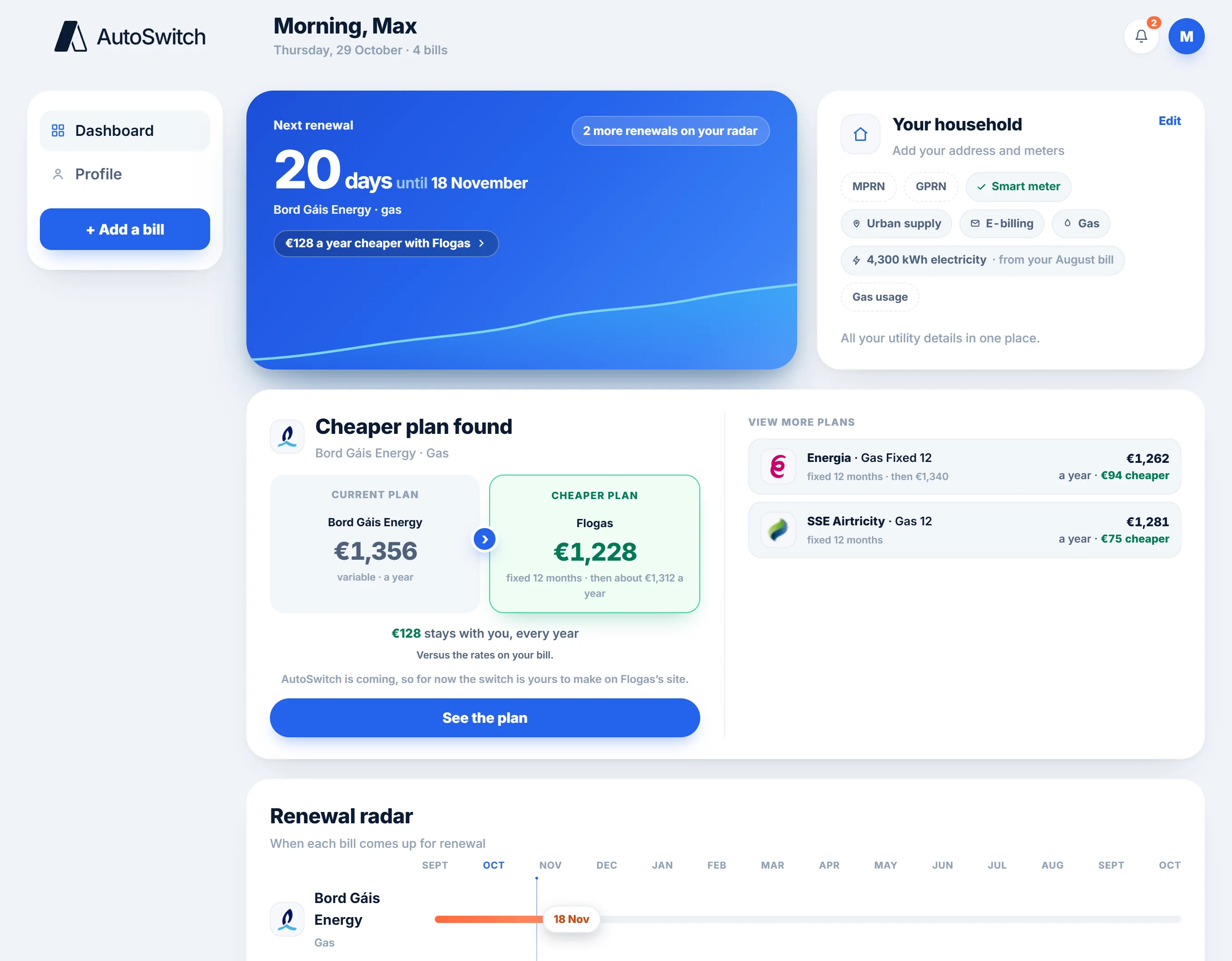
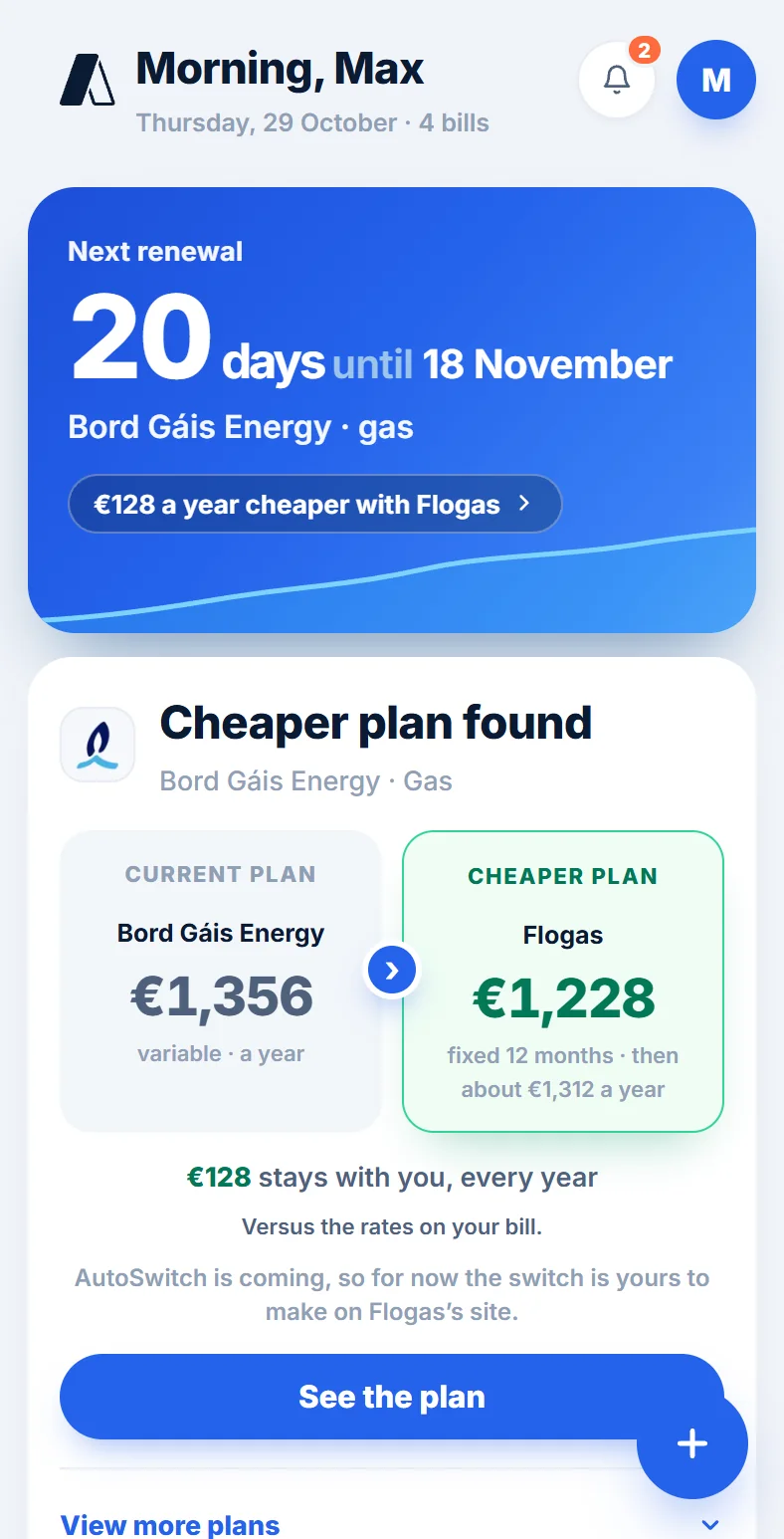
Add your energy bill and your dashboard keeps every bill and renewal date in one place. We remind you before each renewal and let you know the moment we find a cheaper plan. Here’s each step, just as you’ll see it.
Figures shown are illustrative
1
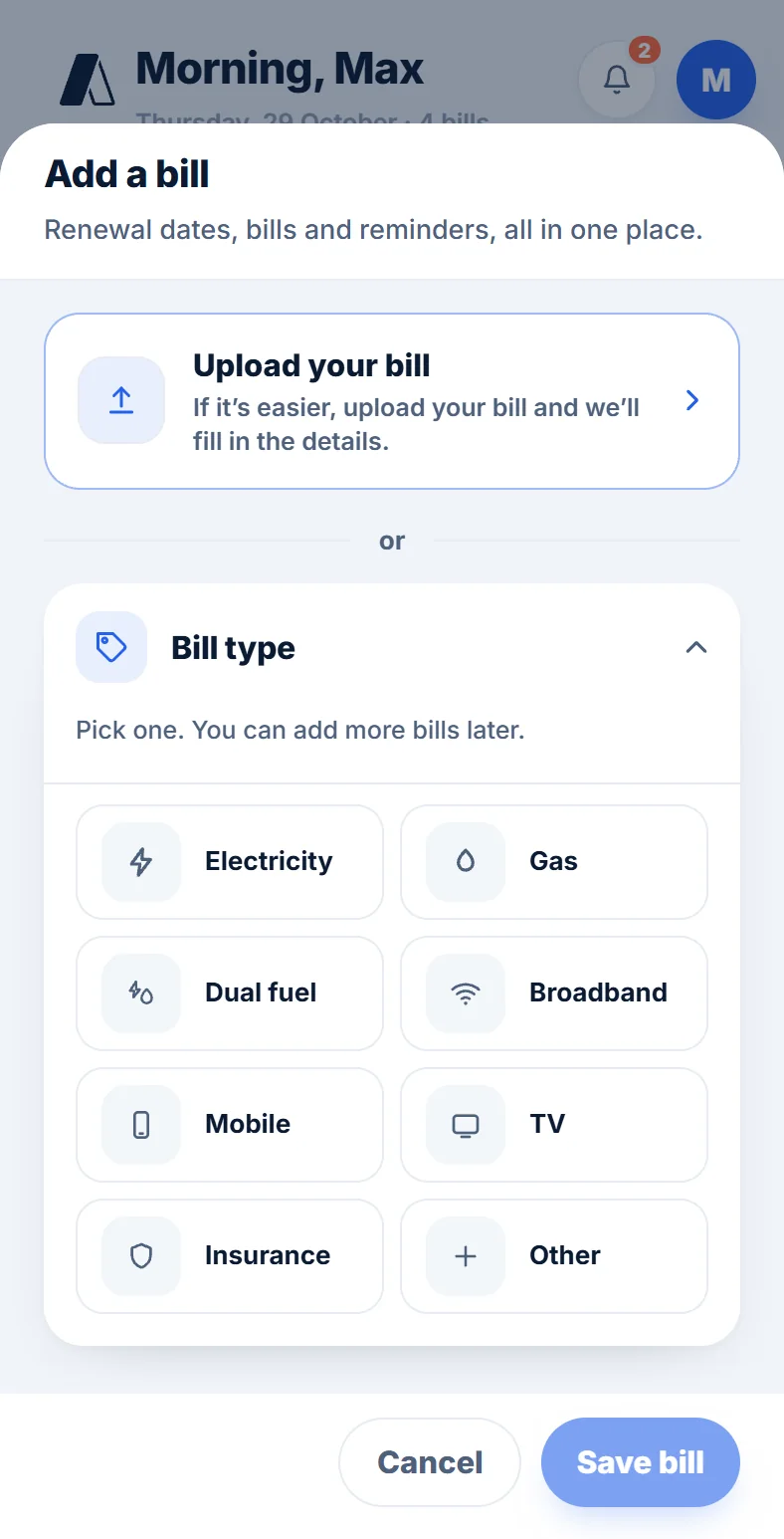
Add your bill
Take a photo of your bill, upload the PDF, or forward the email your supplier sends to [email protected]. Your bill has everything we need, so there’s no long form to fill in.
2
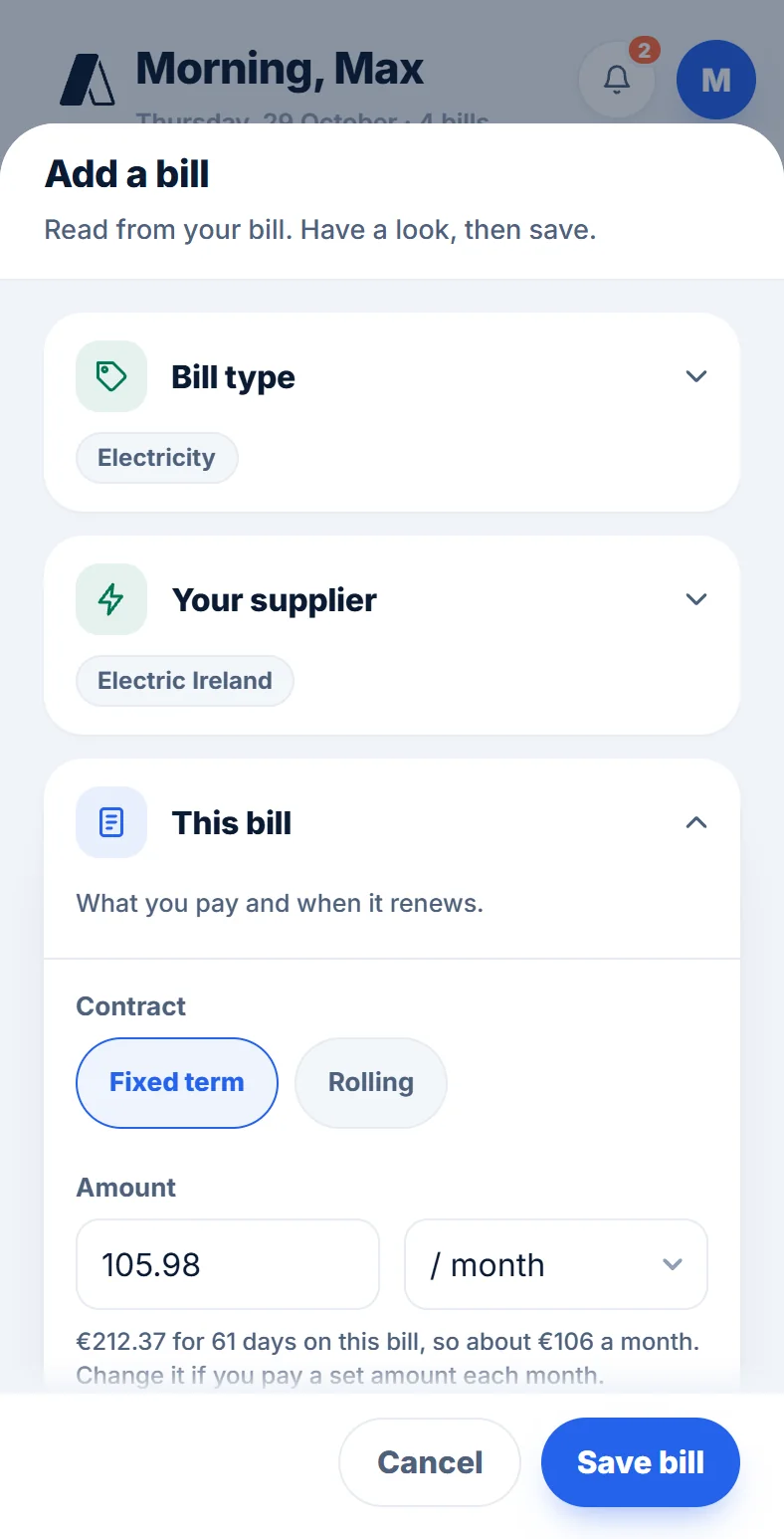
See what we read
Upload it and in a few seconds you’ll see your supplier, plan, rates, usage and what you pay, read straight from the bill. Check it over, change anything that’s wrong, and keep it.
3
All your bills in one place
Electricity, gas, broadband, mobile and more sit together in Your bills, each with what it costs a year and when it renews. Tap any bill to see its details.
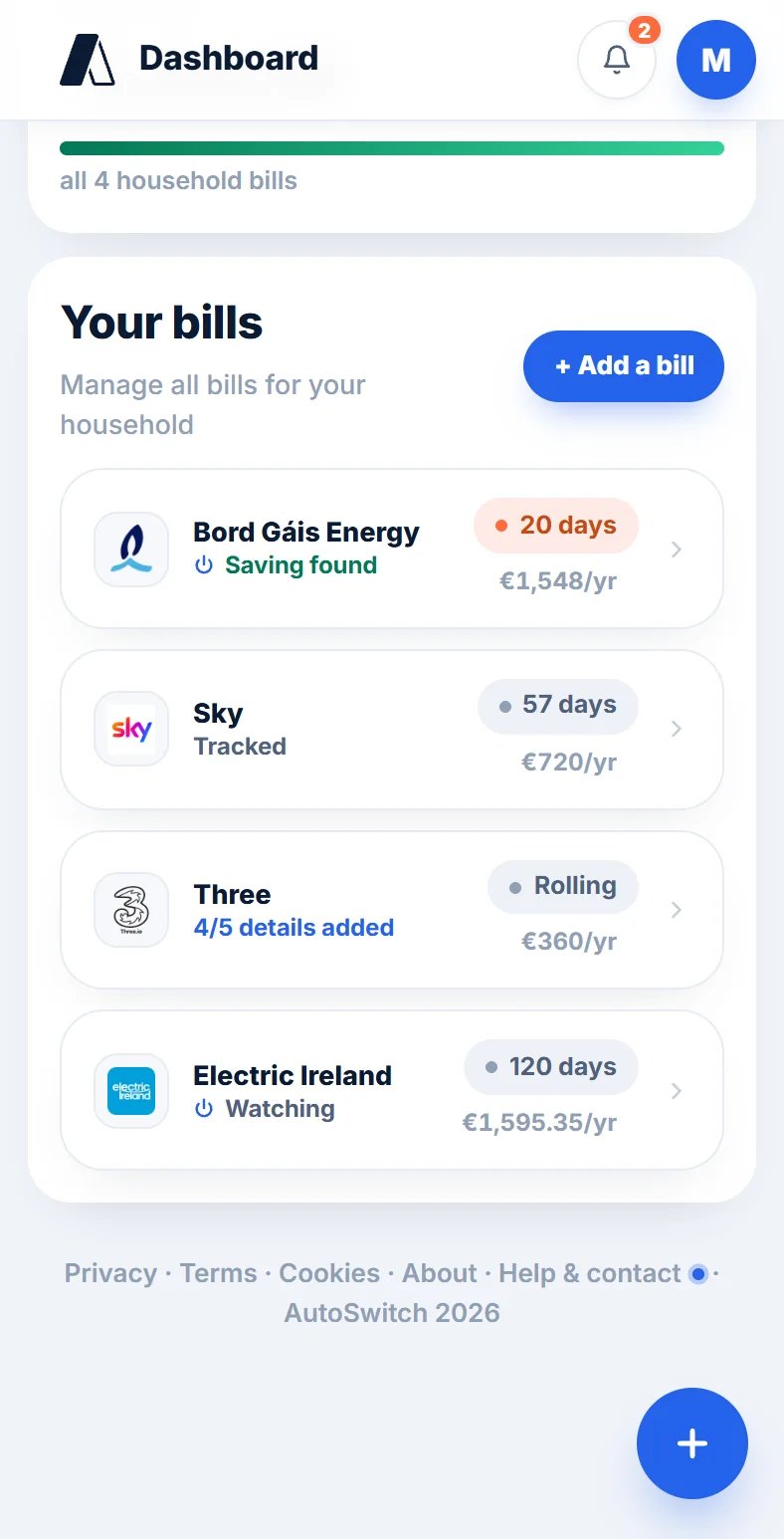
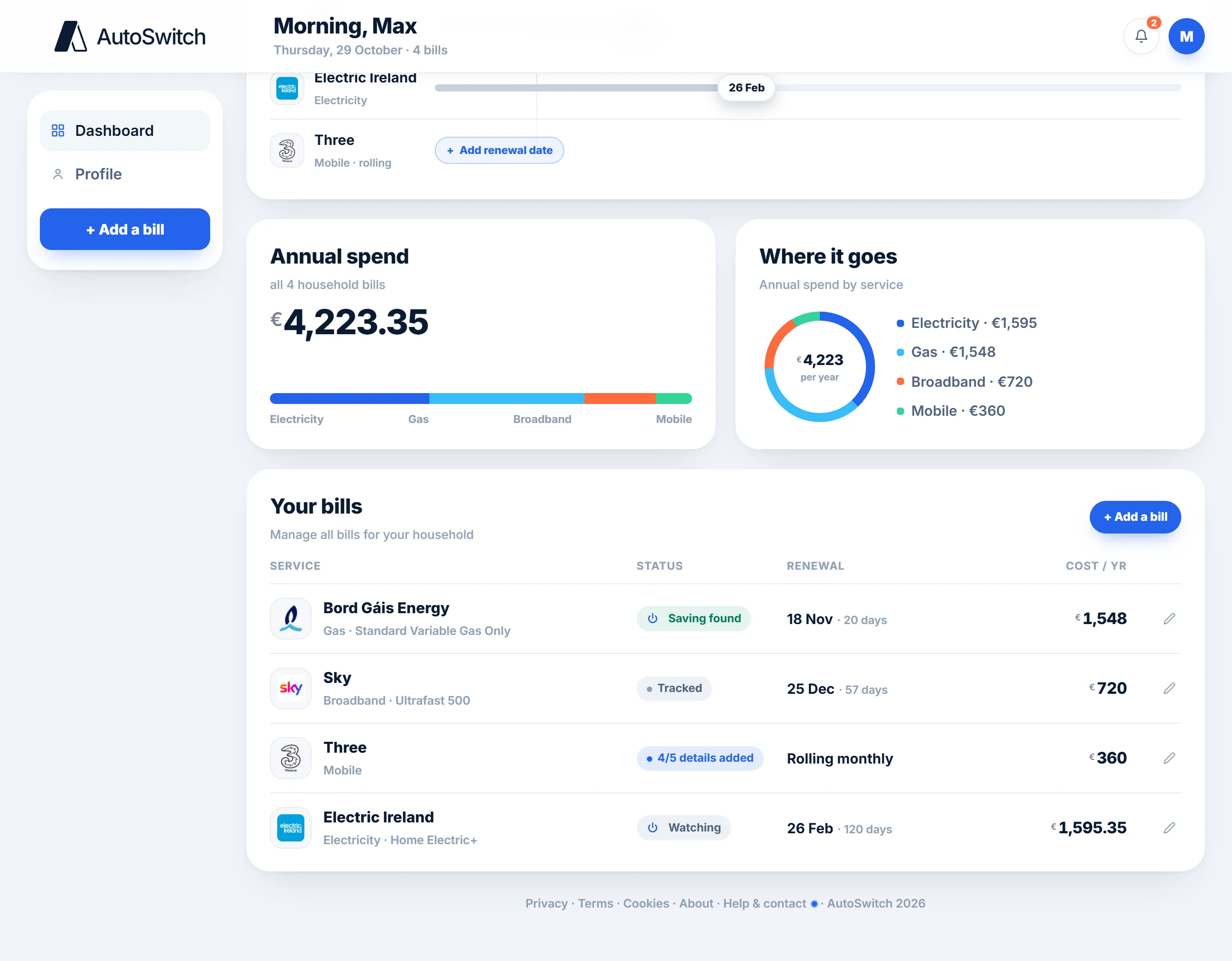
4
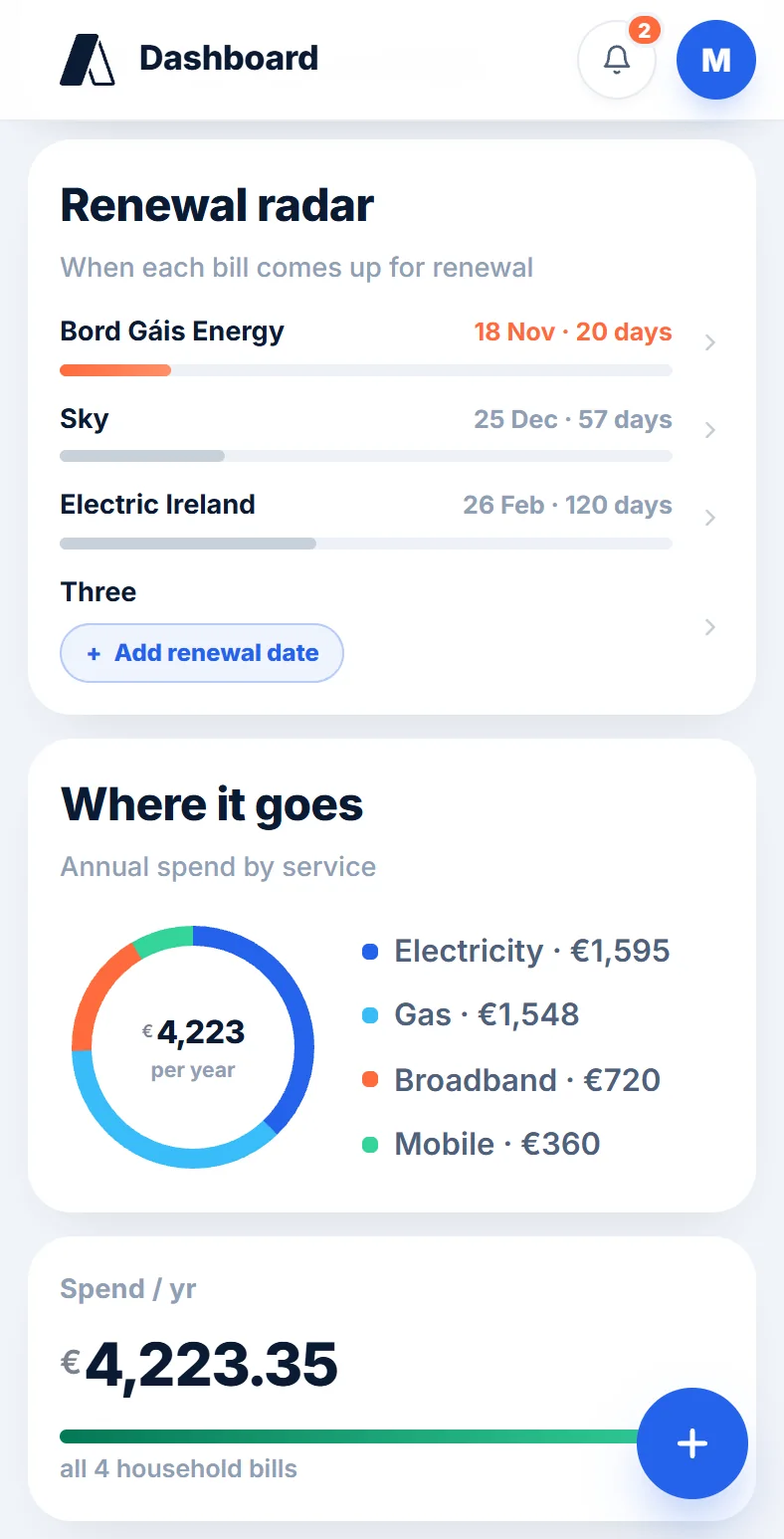
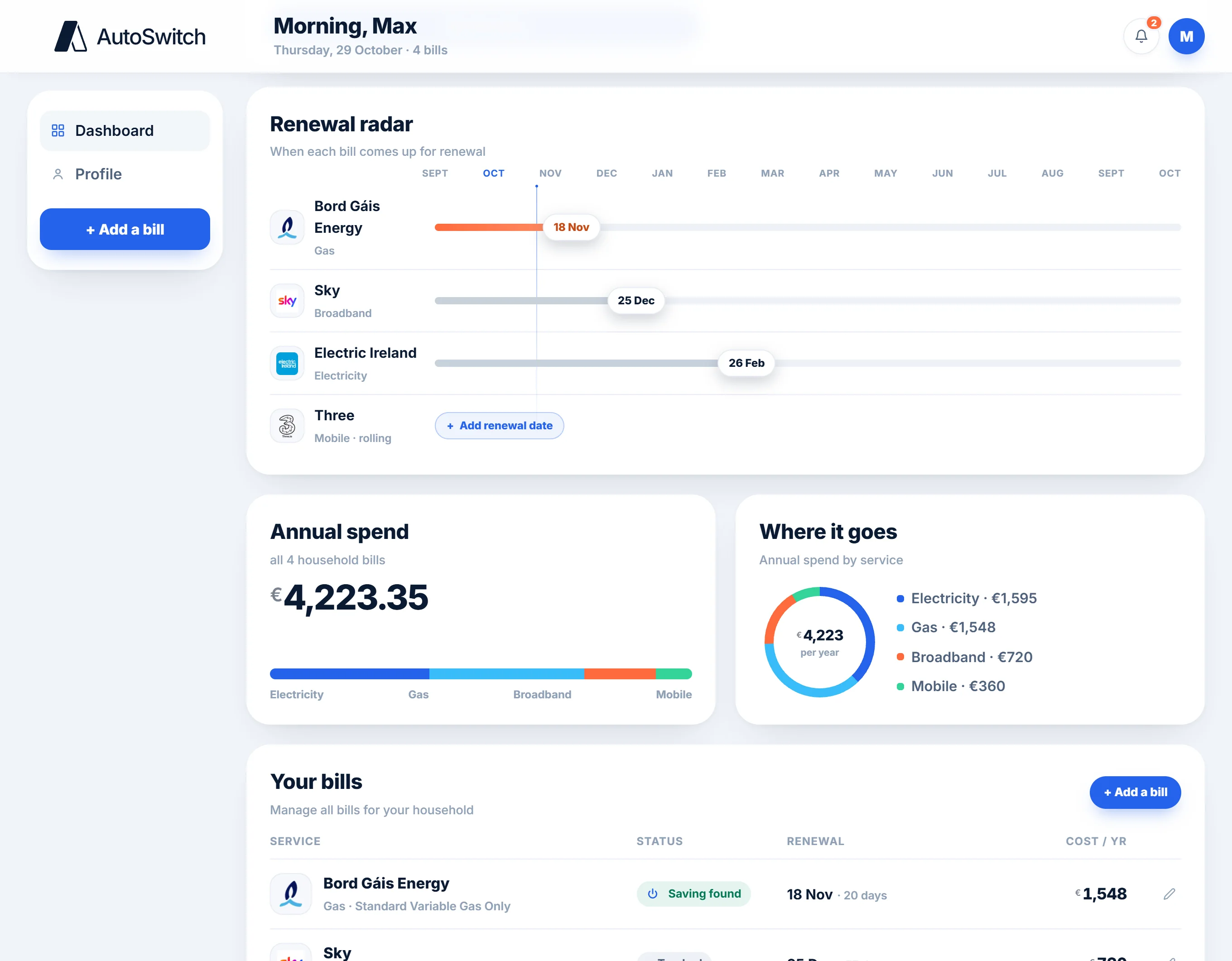
The renewal radar
Every renewal date on one timeline, so nothing creeps up on you. We email you a reminder 30 days before each bill renews, and your dashboard counts down to the next one.
5
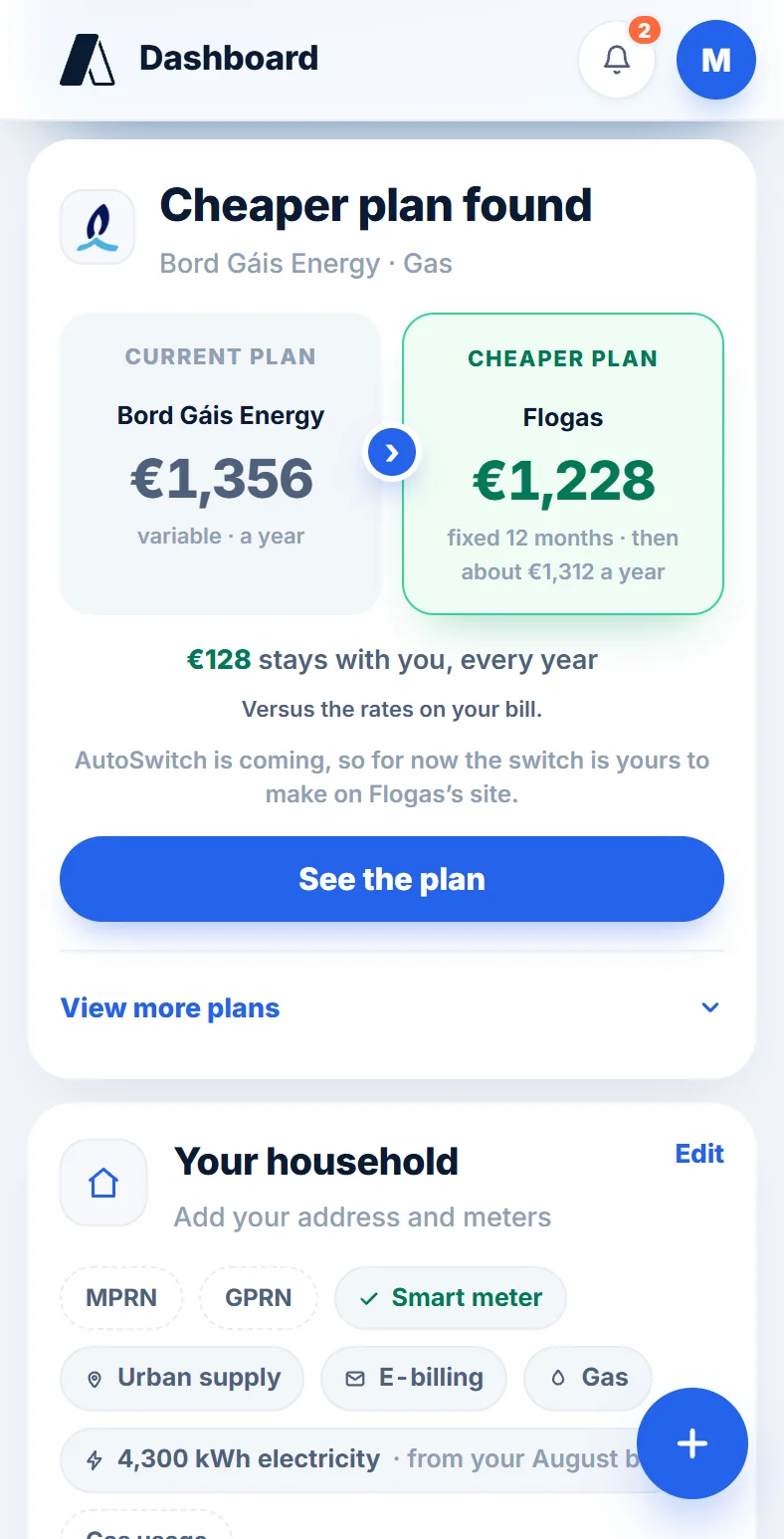
A cheaper plan, found for you
Before you renew, we price plans on your own usage. When one costs less, we let you know by email, and you’ll see it beside what you pay now, with how much stays with you, every year.
6
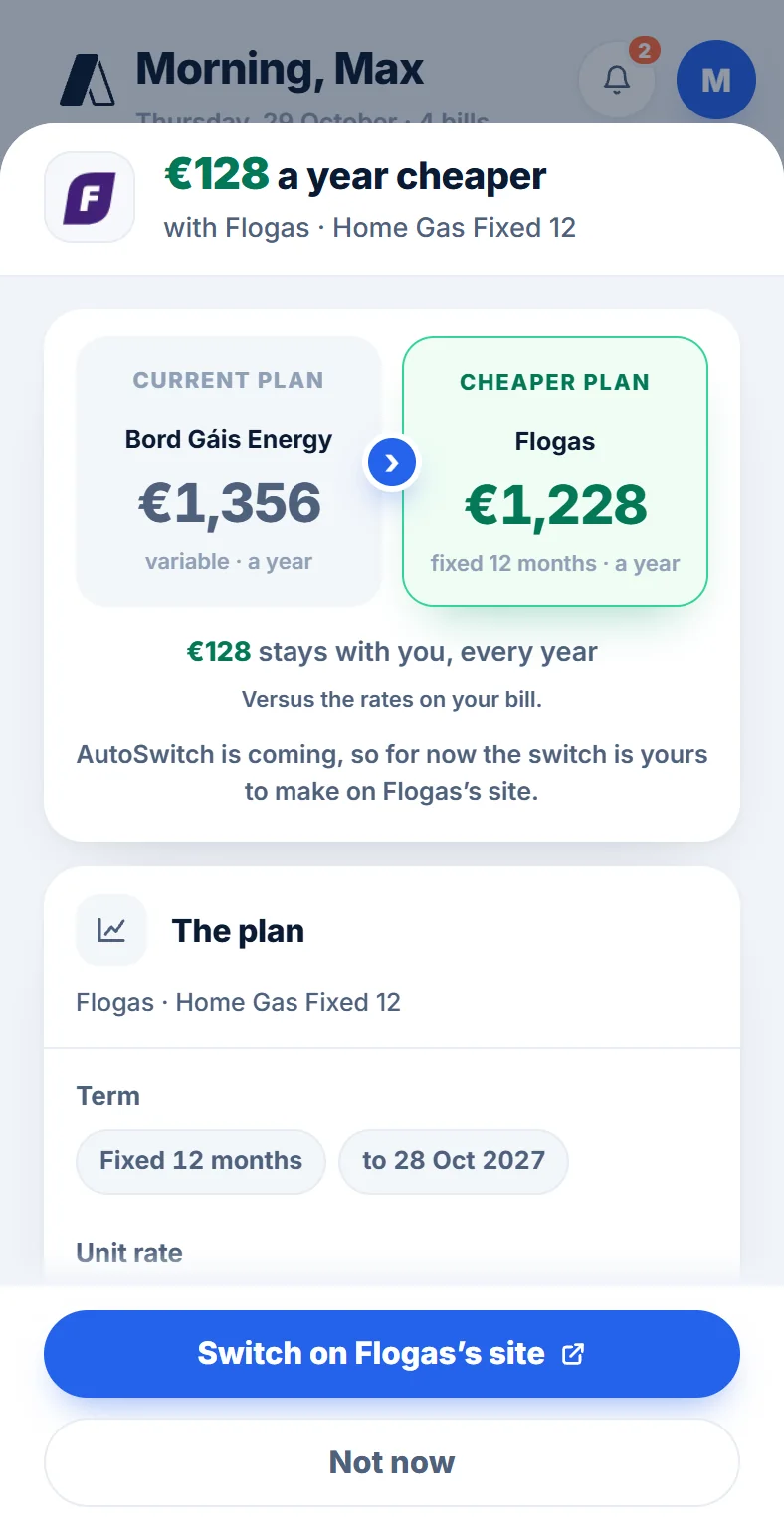
Switch on the supplier’s site
Like the look of it? See the plan, then switch on the new supplier’s site with your bill to hand. Nothing changes until you do.
7Coming soon
Switching for you, coming soon
Soon, one yes is all it takes: we’ll make the switch for you, and nothing switches unless you say so. We’ll email you the details when it’s ready.
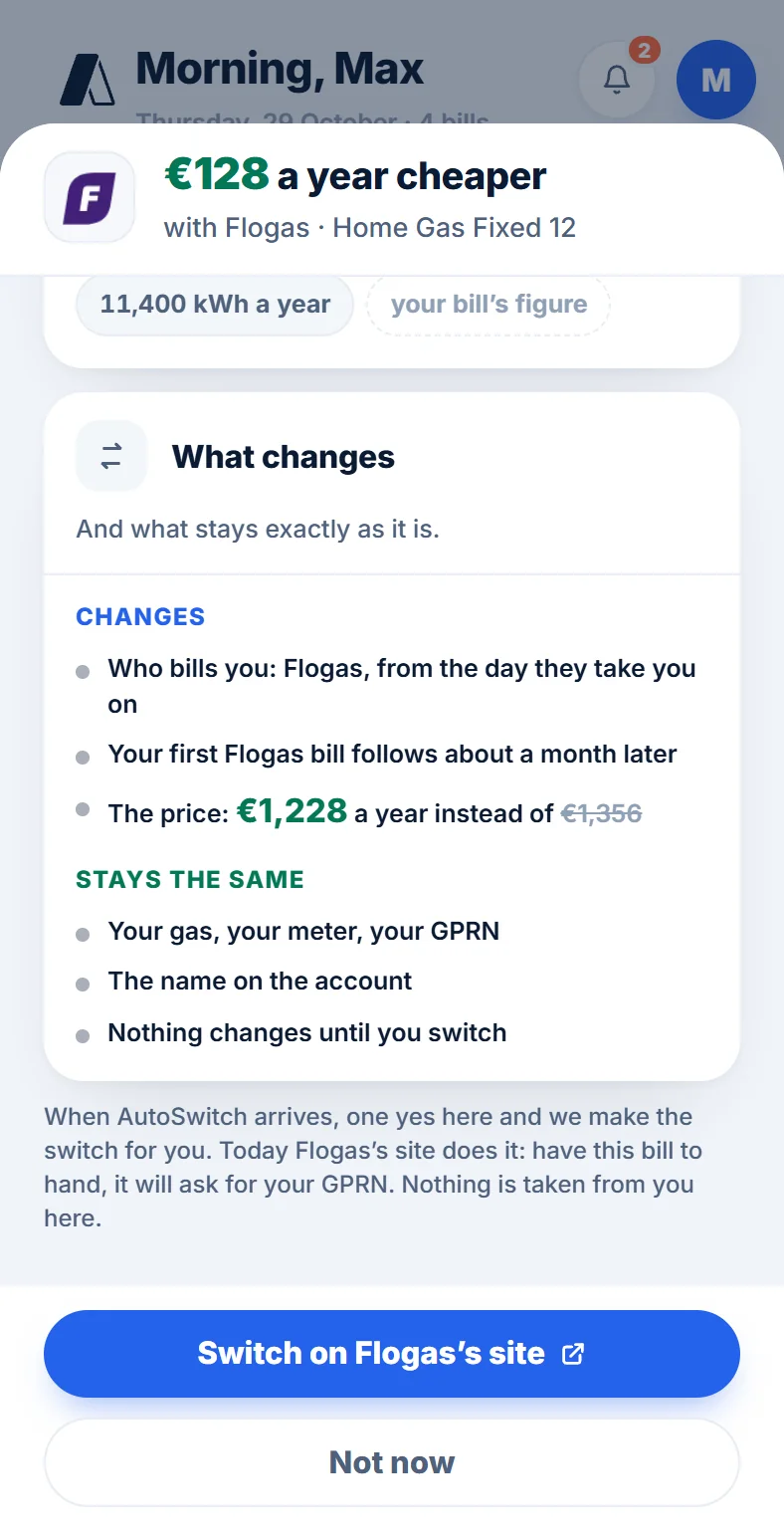
When AutoSwitch arrives, one yes here and we make the switch for you.
More questions? See our FAQs ›